
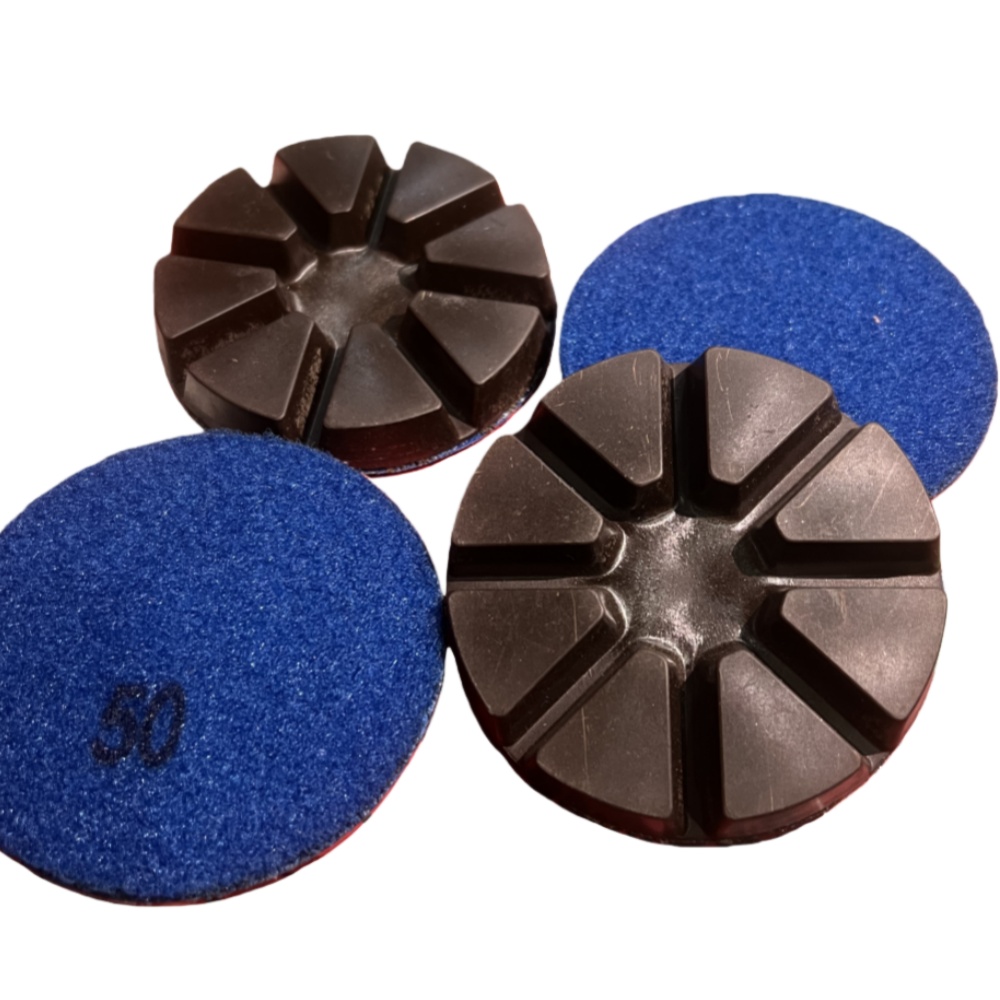
The grinding disc is the core consumable part of a grinder. Standard installation directly affects grinding performance, service life, and operational safety. Based on general industrial, food, and floor grinders, this article provides a set of standardized procedures for installation, commissioning, operation, and maintenance.
- Pre‑Installation Preparation
- Power Off Completely
Unplug the power supply and ensure the machine is fully stopped. Do not operate with power on. - Prepare Tools and Parts
Prepare special wrenches, screwdrivers, clean cloths, and gloves. Verify that the model, size, and teeth of the grinding discs match the machine. - Inspect Grinding Discs and Machine Body
Check that new grinding discs are free of cracks, chips, or deformation. Clean dust, oil, and residue from the grinding plate, mounting base, and threaded holes. - Wear Protection
Use protective gloves and goggles. Keep the workplace ventilated and dry. - Steps to Remove Old Grinding Discs
- Open the protective cover or front cover and remove the moving grinding disc assembly.
- Loosen the fixing screws evenly in a crisscross pattern to avoid deformation.
- Take out the old grinding disc and clean the contact surface and screw holes.
- Store parts properly to avoid loss or mixing.
- Standard Installation Procedure for New Grinding Discs
- Identify Direction and Front/Back Side
Follow rotation arrows and tooth orientation. Moving and stationary discs must not be reversed. The marked side usually faces outward. - Position Properly
Place the grinding disc steadily into position, ensuring the inner hole fits the shaft and the gap is even. - Pre‑Tighten and Align
Pre‑tighten screws evenly in a crisscross pattern without fully locking. Rotate the disc to check for jamming or wobbling. - Final Locking
Tighten to the specified torque evenly. Do not use excessive force to avoid cracking or deformation. - Reassemble the Machine
Refit the grinding plate, end cover, and protective guard. Confirm all clips and screws are secure. - Key Commissioning: No‑Load Running and Gap Adjustment
- Run without load for 2 minutes. Check for abnormal noise, vibration, or eccentricity.
- Adjust the gap until slight contact sound occurs, then stop and check friction marks.
- Even marks and consistent temperature indicate proper alignment. Shims can be used to correct partial uneven wear.
- Run with light material such as rice or fine sand for 3–5 cycles to improve stability.
- Formal Operation Specifications
- Start without load first, then gradually add material or pressure. Do not apply heavy load suddenly.
- Adjust speed, water flow, and dust extraction as needed for uniform grinding.
- Stop immediately if vibration, abnormal noise, or unusual smell occurs.
- Avoid prolonged dry running to prevent overheating and wear.
- Daily Maintenance and Replacement Tips
- Replace discs when grinding efficiency drops, output becomes coarse, or noise increases.
- Clean dust from discs and chamber after each use to extend service life.
- Use both sides or swap positions if applicable to maximize consumable value.
- Clean and lubricate before long‑term storage to prevent rust and jamming.
- Safety Rules
- Never start the machine without the protective guard.
- Do not strike grinding discs during installation.
- Do not exceed rated speed or apply excessive pressure.
- Keep children and untrained personnel away.
Standard installation, scientific adjustment, and correct operation ensure grinding quality, reduce failure rates, and lower consumable costs. Operators should follow this procedure and refer to the equipment manual for optimal performance.